

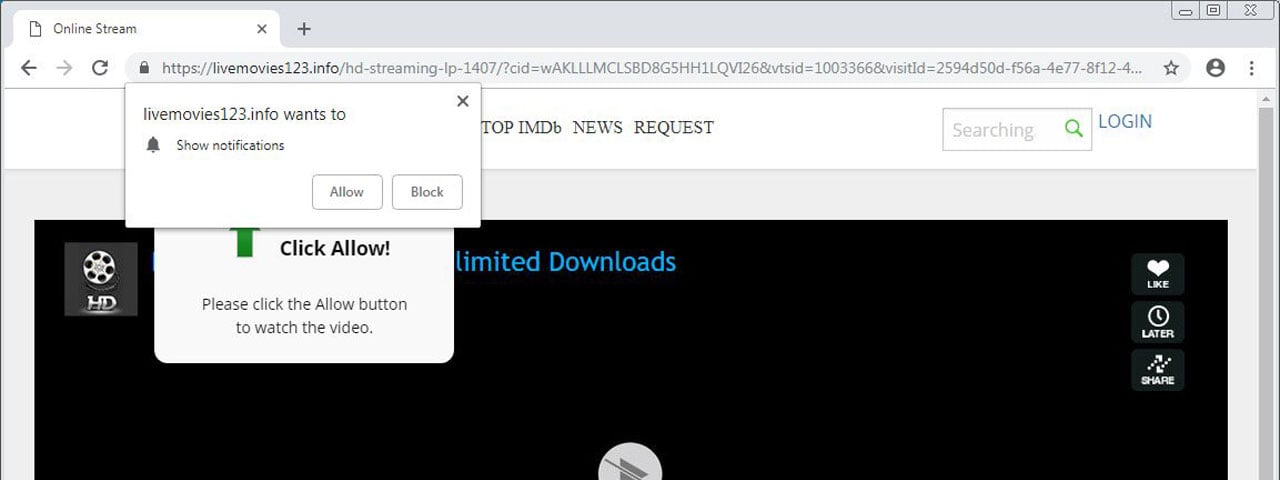
Web browser notifications are increasingly being used to push unwanted ads for dating sites, scam sites, unwanted browser extensions, and even malware to users who subscribe to them.
While browsing the web, you have most likely been shown a prompt that asks you if you want to allow or block notifications from the site. If you allow them, the site can then send you notifications of new content that they post and it will delivered to your browser even when your not at the particular site.
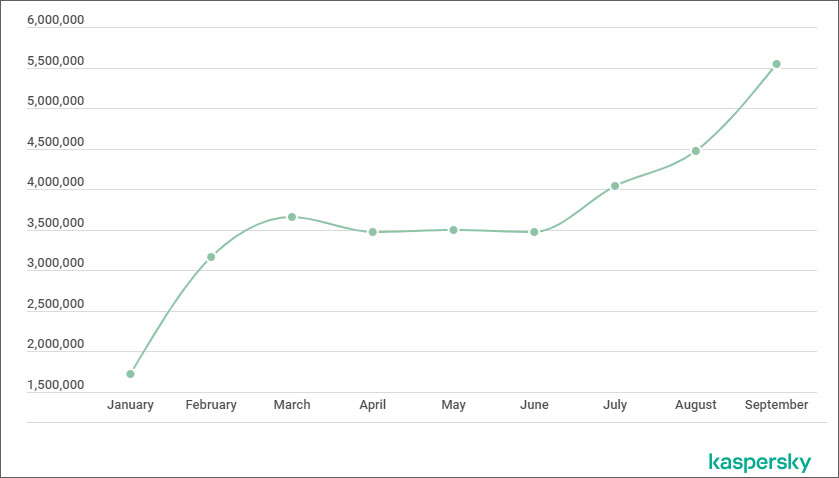
While many legitimate sites use browser notifications, according to a new report by Kaspersky, between January 1st through September 30th, 2019 they have observed a 69% increase in ad and scam notifications and have blocked over 14 million prompts.
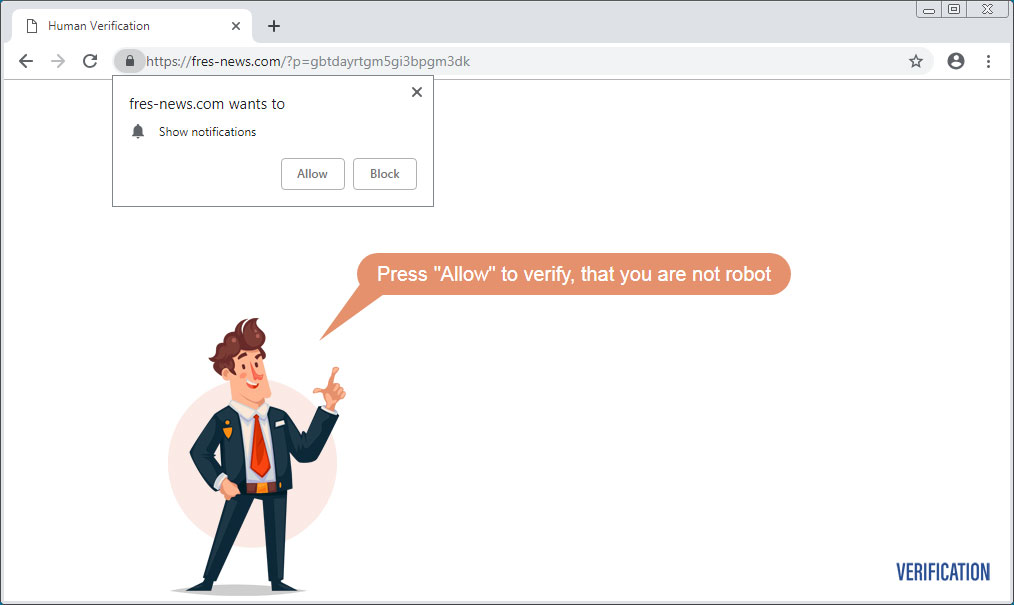
For example, the page below prompts you to allow notifications to prove that you are not a robot. If you click allow, though, you will just be brought to another scam site or unwanted browser extension.
In addition, as the user is now subscribed to the site's notifications, they will also be bombarded with advertisements delivered directly to their desktop that promote malicious sites and further scam sites.
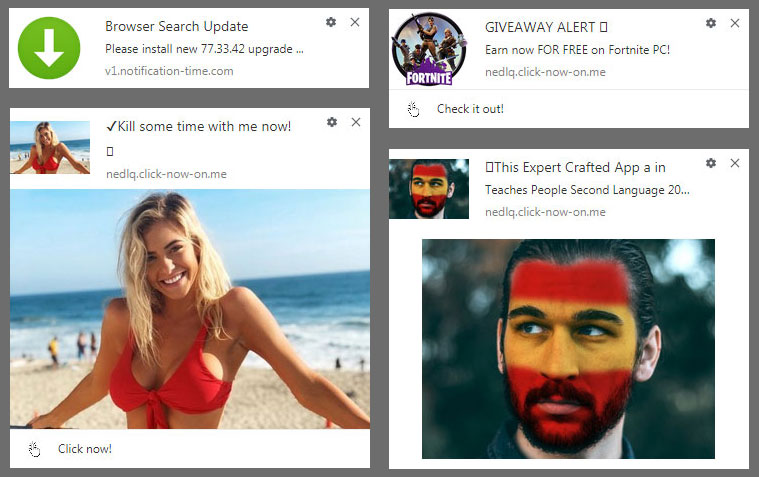
"Other than ads, downright scam notifications may also be delivered, such as about lottery wins, or offers of money in exchange for completing a survey. All such proposals are usually phishing attacks seeking to coax users to part with their money," Kaspersky states in their report.
Browser developers plan on blocking notifications
The good news is that browser developers are also annoyed by browser subscription prompts and are working on new methods to block them from being shown.
Earlier this month, we reported that Mozilla conducted a study and found that 99% of all browser notifications are unaccepted, with over 48% being actively blocked by users who see them.
"To add from related telemetry data, during a single month of the Firefox 63 Release, a total of 1.45 Billion prompts were shown to users, of which only 23.66 Million were accepted," Mozilla stated in a blog post. "I.e, for each prompt that is accepted, sixty are denied or ignored. In about 500 Million cases during that month, users actually spent the time to click on “Not Now”."
Due to this, Mozilla is making changes in how Firefox displays these notification prompts.
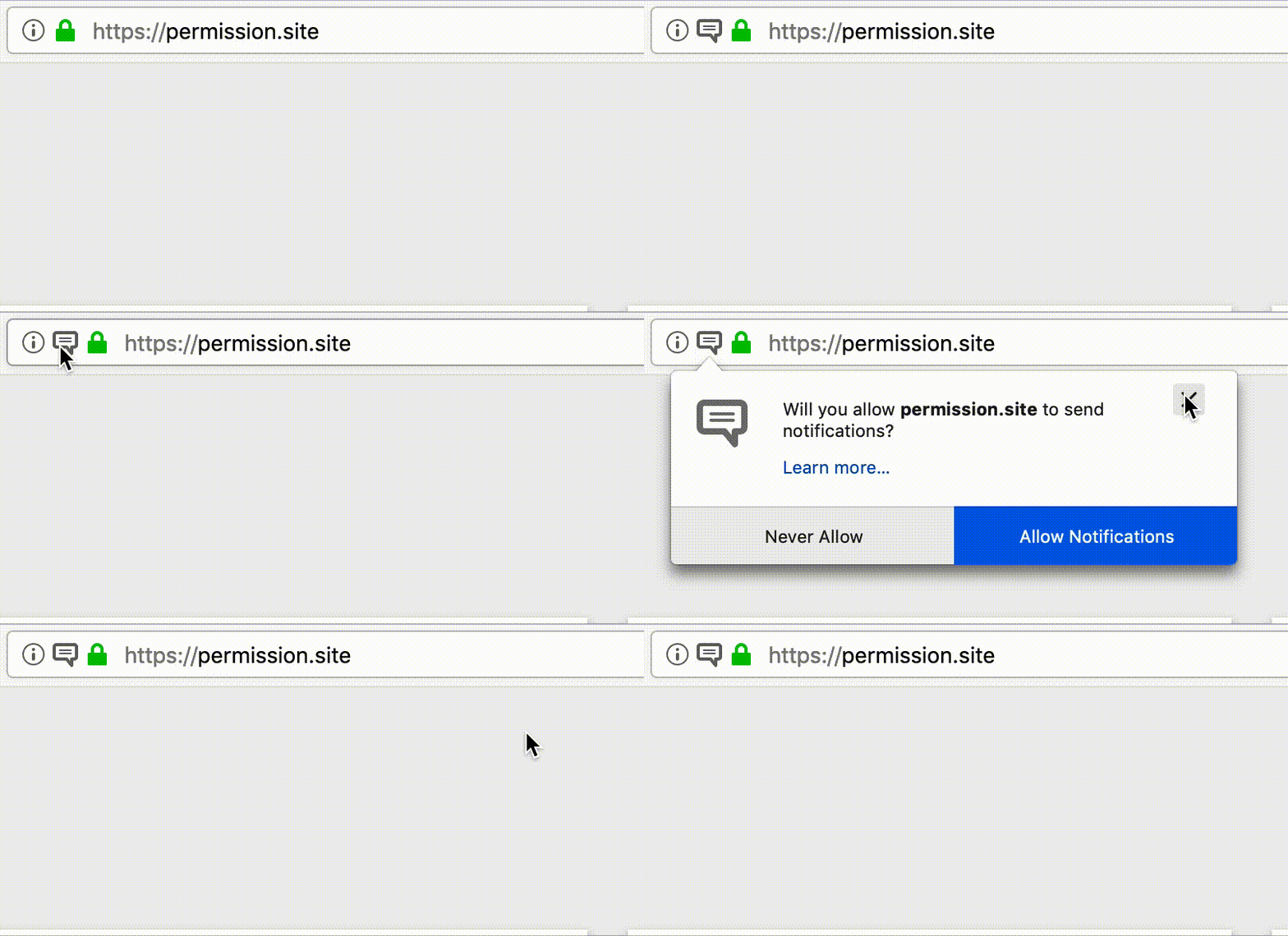
Starting in Firefox 70, the default action for notification subscriptions will be "Never". In Firefox 72, all site notification prompts will be automatically hidden and users will need to click on a new chat bubble to view and subscribe to them.
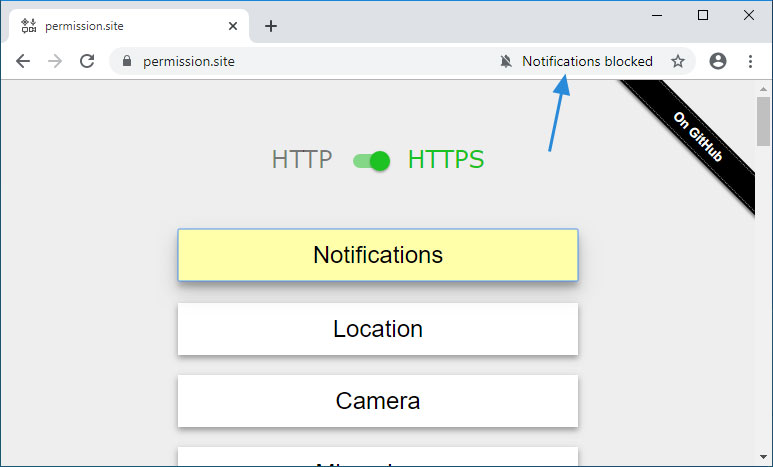
Starting in Google Chrome 79, Google will not allow notifications to be displayed and will instead show a struck out bell indicator that users can click on to subscribe to a site.
Removing browser notification subscriptions
If you are receiving browser notification spam, you can check for and remove subscriptions by going into your browser's settings.
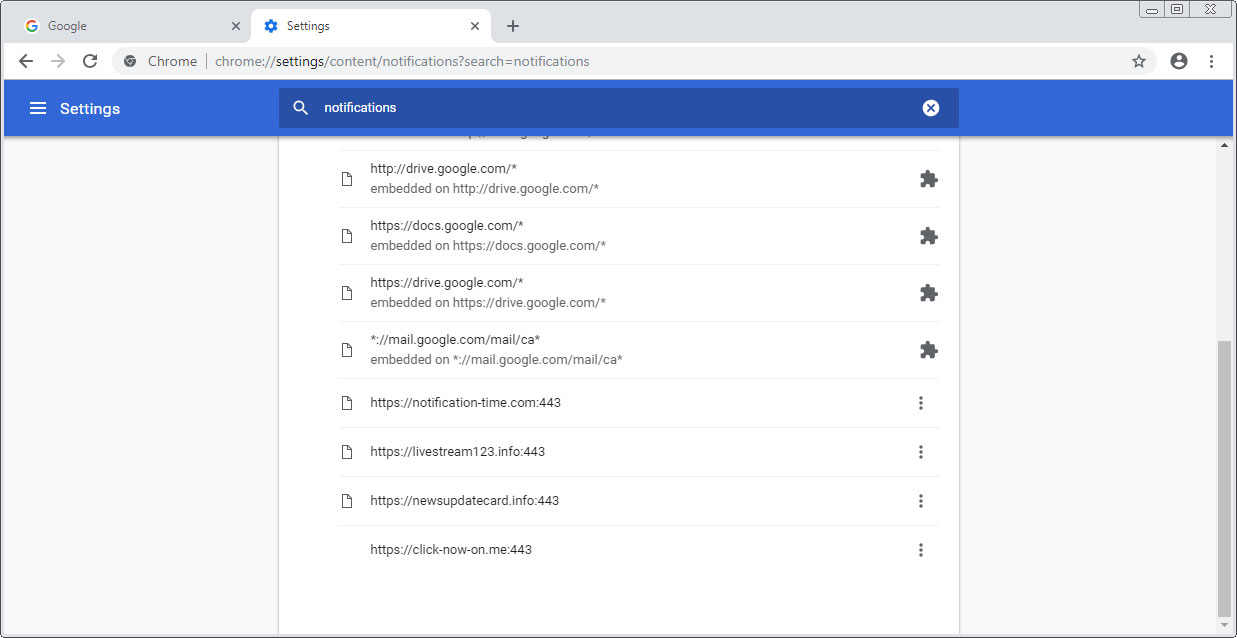
To remove them in Chrome, you can go into the Settings and search for Notifications, click on Content Settings, and then click on Notifications. Chrome will now display a list of sites that you are subscribed to or have blocked.
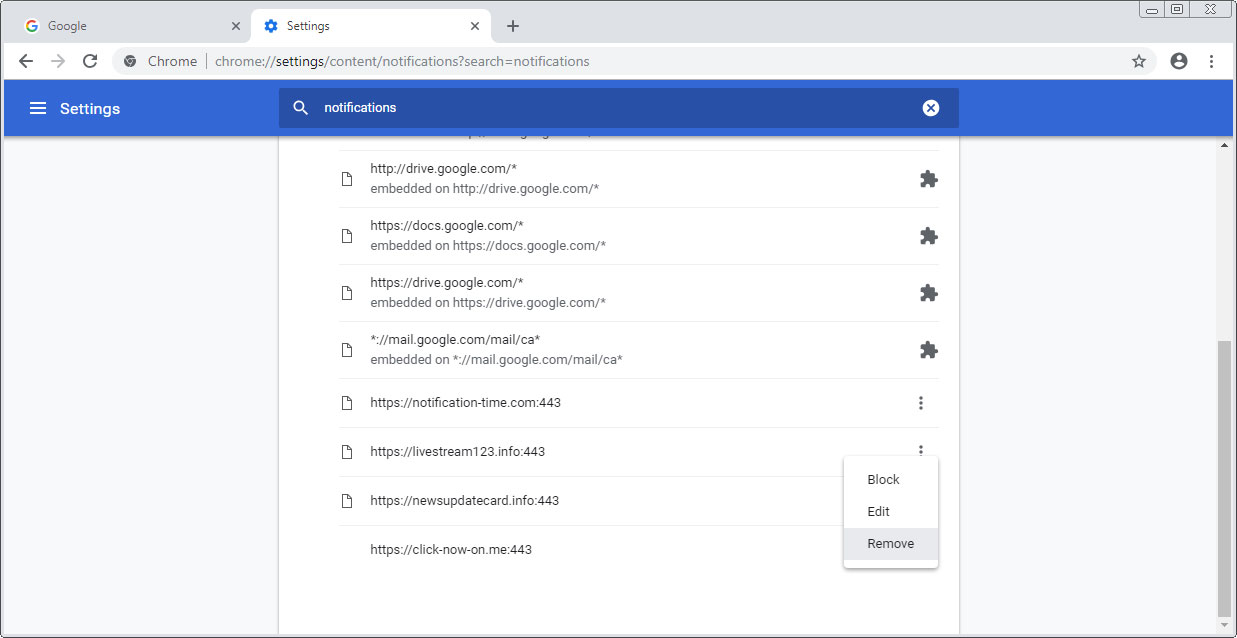
To remove a notification, simply click on the dotted vertical line next to a site and select Remove as shown below.
For Firefox users, you can use a similar method. Just go into Options, search for Notifications, and then click on Settings next to Notifications to access the list of subscribed sites and remove them.
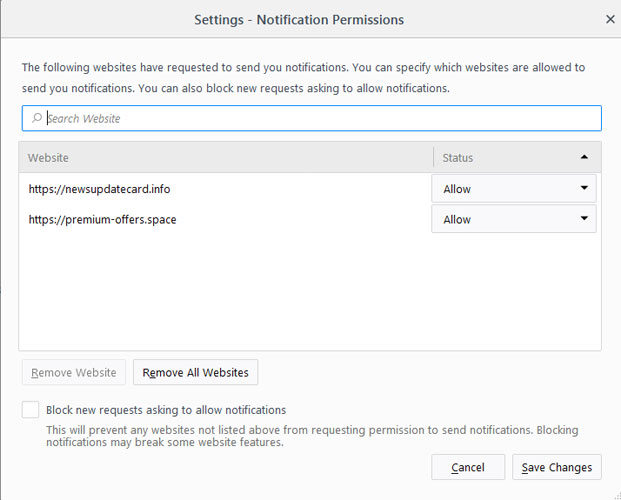
Once you remove a browser subscription, the notification spam from those sites will no longer display on the desktop.

Automated Pentesting Covers Only 1 of 6 Surfaces.
Automated pentesting proves the path exists. BAS proves whether your controls stop it. Most teams run one without the other.
This whitepaper maps six validation surfaces, shows where coverage ends, and provides practitioners with three diagnostic questions for any tool evaluation.










Comments
testa - 6 years ago
This is the reason why I disabled it entirely. Never liked that feature due to my OCD
Blocking notifications by default won't help because there are fake prompt tricking users to click into malcious links. An adblocker should be installed to prevent this