

0In order to show the table id and some pictures in my DB, After I connect MySQL successfully, I faced this problem mentioned in the screenshot bellow. I hope that someone helps me to fix this issue
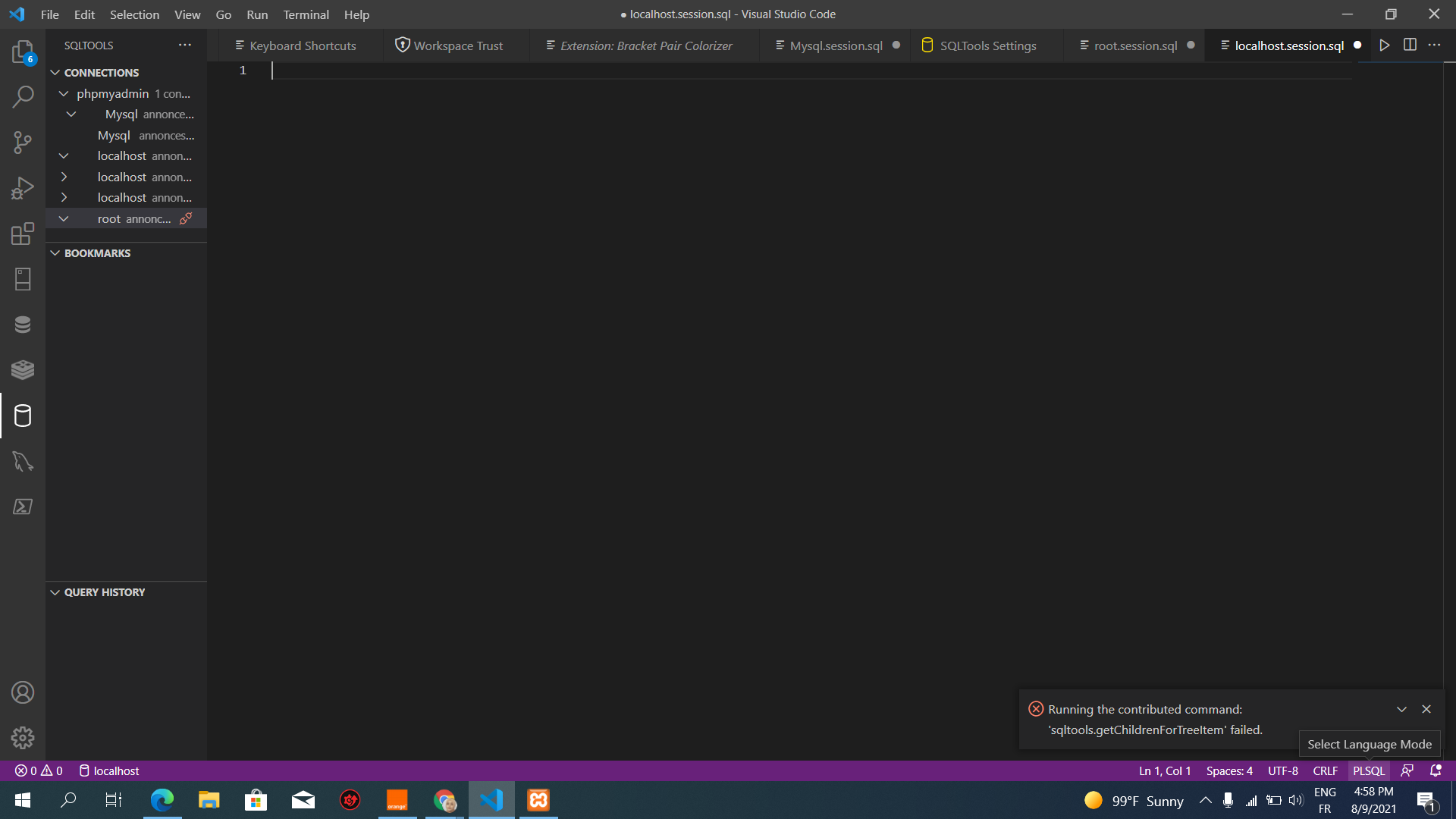
Edited by Mnasri, 09 August 2021 - 01:45 PM.



Posted 09 August 2021 - 01:44 PM
Edited by Mnasri, 09 August 2021 - 01:45 PM.

Posted 11 August 2021 - 06:10 PM
Your image didn't post, here's a 'How to' -
First of all create your image and save it somewhere where you can find it, then start a new post.
In the bottom of the new post text box you will see , at the bottom right, 'More reply options'. When you are ready to add your image click on this and you get a drop-down extension to the 'new post' box., it says 'Attach files'.
Click on 'Browse', find your file - an image or any other - and select it and click 'Open'. You will see that the file is now listed.
Next, click 'Attach this file' and the view changes to having a blue/gray band with a thumbnail of the image and its name. At the right hand end of this band you will see 'Add to post/Cancel. Select 'Add to post' and that's it.
Only one small note of caution - it will insert wherever the insertion point is in your post, so make sure the insertion point is where you want it.
Chris Cosgrove

Posted 12 August 2021 - 08:50 PM
In your picture, localhost.session.sql has focus
What does the root.session.sql window look like?
Some people facing a similar issue had success with flushing privileges. See: node.js - MySQL 8.0 - Client does not support authentication protocol requested by server; consider upgrading MySQL client - Stack Overflow
OR
For slightly more detail on the why: How to Grant All Privileges on a Database in MySQL | Tutorial by Chartio
Microsoft MCE, CASP+, Linux+, Server+, Cloud+, Certified Forensic Computer Examiner


0 members, 1 guests, 0 anonymous users
 Back to top

