I created a decrypter for a related variant of this particular ransomware. In my testing it should work for this variant as well.
Look for any file on your system where you have the original unencrypted file of one of the encrypted files, or any unencrypted PNG (can be found on the internet, for example, if you do not already have one) and an encrypted PNG file. Select, and then drag and drop them the original and encrypted files at the same time on the decrypter executable. If that sounds confusing, just take a look at this little animation:
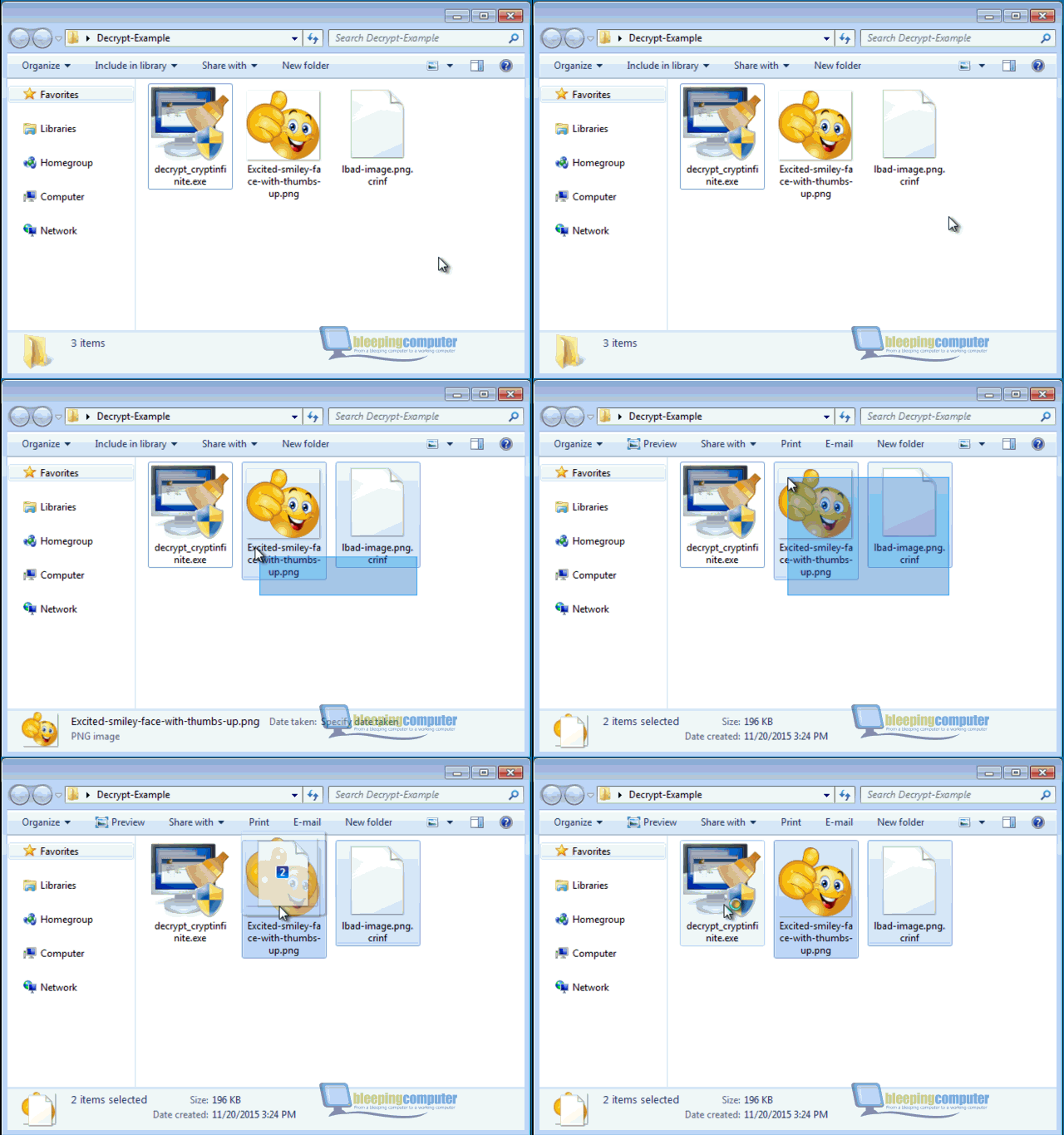
The decrypter will then try to determine the encryption key for your system based on the two files you provided. This process can be rather time consuming. On my system guessing the encryption key took up to 1.5 hours. Depending on your system, it may take considerably longer than that, so please be patient. Once the decryption key was determined, you will get a message like this:

Just click OK and the decrypter will start up as normal. If you get an error message instead, please make sure you drag and dropped the correct files. If you did, you may have either been targeted by a completely different malware family or by a new variant that this decrypter doesn't support yet.
All folders you add to the folder list will be decrypted recursively, which means files located in the sub-folders of the selected folder will be decrypted as well.
In any case I suggest trying to run the decrypter on a limited number of files first and manually check that those files were decrypted properly before you move to decrypt large number of files. This makes sure the decrypter figured out the correct key and may save you a lot of time in the long run in case it turns out the malware author changed the encryption algorithm in a later variant that the decrypter doesn't support. The malware unfortunately does not leave any information about the original file behind. That means the decrypter can't be sure that the result of the decryption is correct. For that reason, the decrypter will not delete the encrypted files on your system just to be sure. That also means, that you need to make sure your disks have enough space before you start the decryption. If you are low on disk space and you have no way of making room either, the decrypter also has an option to delete the encrypted version of the file after it has been decrypted:

Only use this option if your absolutely have to and after you tested the decrypter on a limited number of files first.
The decrypter can be downloaded here:
Please make sure you read the above instructions carefully before you download it. Don't just click the link, trying to skip ahead. Seriously. You will most likely save yourself a lot of headache. As a general rule I don't accept any donations for my work. If you feel thankful and want to throw some money at something, I suggest investing into a proper backup solution. Personally I am using
CrashPlan. However, there are a lot of different solutions out there. Pick one that you feel comfortable with. If you are unsure, I am sure the helpful users in this amazing community will love to help you out picking one that fits your needs and requirements. If you want to spend even more money, I am sure
the polar bears would appreciate your help. I know one polar bear in particular that would be very thankful.

As always, please ask if you run into any issues. Keep in mind that I do have a rather busy day job, so I may not reply right away. So please be patient.




 Back to top


